Guides
Amuse Release Importer: How to Move a Release Without Starting Over
Amuse's Release Importer moves a song that's already out on Spotify into Amuse without making you rebuild it from scratch. You search for the release or paste its Spotify link, Amuse pulls in the cover art, titles, track details and ISRCs, you upload the audio, and you submit it for review. Three steps, and the details that decide whether your stream count survives the move are filled in for you.
It doesn't do everything. It moves one release at a time, it only finds releases that are live on Spotify, you still upload the audio yourself, and you still take the old version down yourself. Here's what it handles, what it leaves to you, and who it suits.
If you're new to switching distributors at all, start with how to switch distributors without losing your streams. That's the general method. This is one tool that does a big chunk of it for you.
What Release Importer Actually Does
Switching distributors used to mean typing every release in again. Title, track titles, track order, artist names, songwriters, ISRCs, release date, artwork. Get one of those slightly wrong and Spotify may not recognise the new delivery as the same recording, which is how artists end up with a duplicate release and a stream count back at zero.
Release Importer reads your live release and pre-fills the Amuse release builder with what it finds. Amuse's own guide lists what can come across:
| Part of the release | Who handles it |
|---|---|
| Cover art | Imported |
| Release title and track titles | Imported |
| Track information and ISRCs | Imported |
| Other metadata Spotify holds | Imported where available |
| Audio files | You upload them |
| Required fields the import couldn't fill | You complete them |
| Taking the old release down | You, with your old distributor |
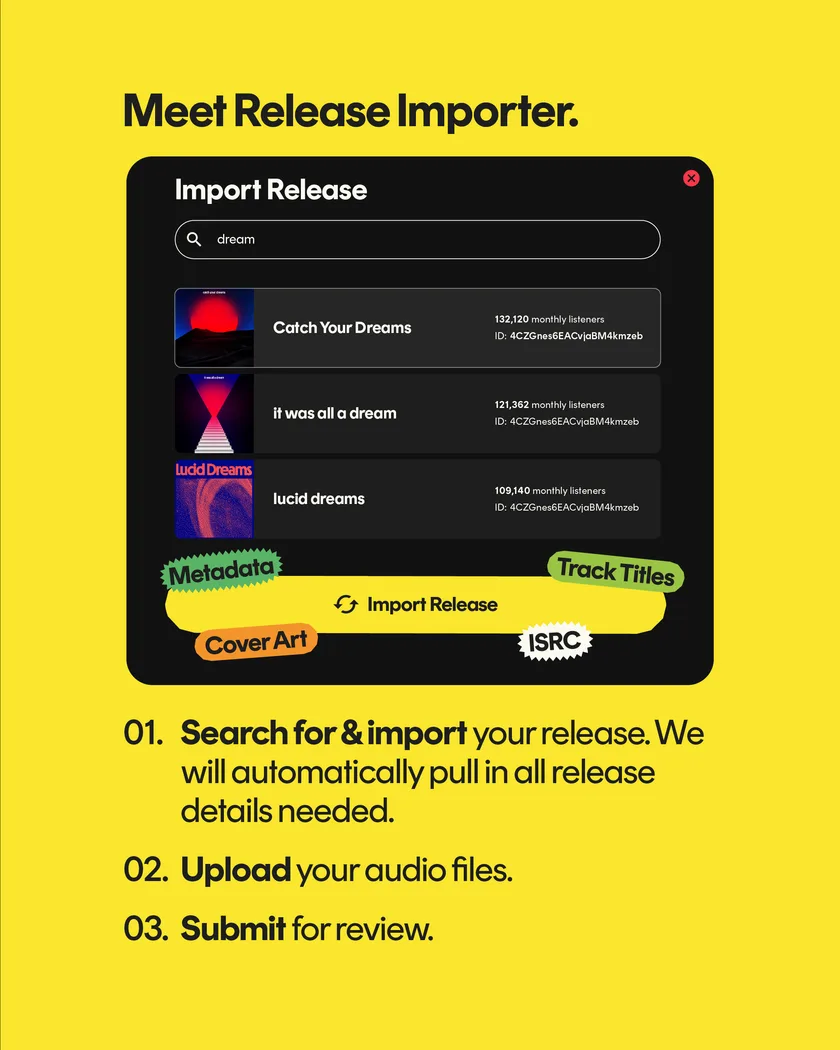
The ISRCs are the important row. An ISRC is the code that tells Spotify which recording a stream belongs to, and it's what your play count, playlist history and payment threshold hang off. We explain it properly in our ISRC and metadata guide. Copying it across by hand is the step where switching most often goes wrong, and here you don't type it at all.
How to Use It, Step by Step
This is the order Amuse gives, and the order matters.
- Sign in to Amuse, or create an account and an artist profile. The profile needs to be the one with your music live on Spotify.
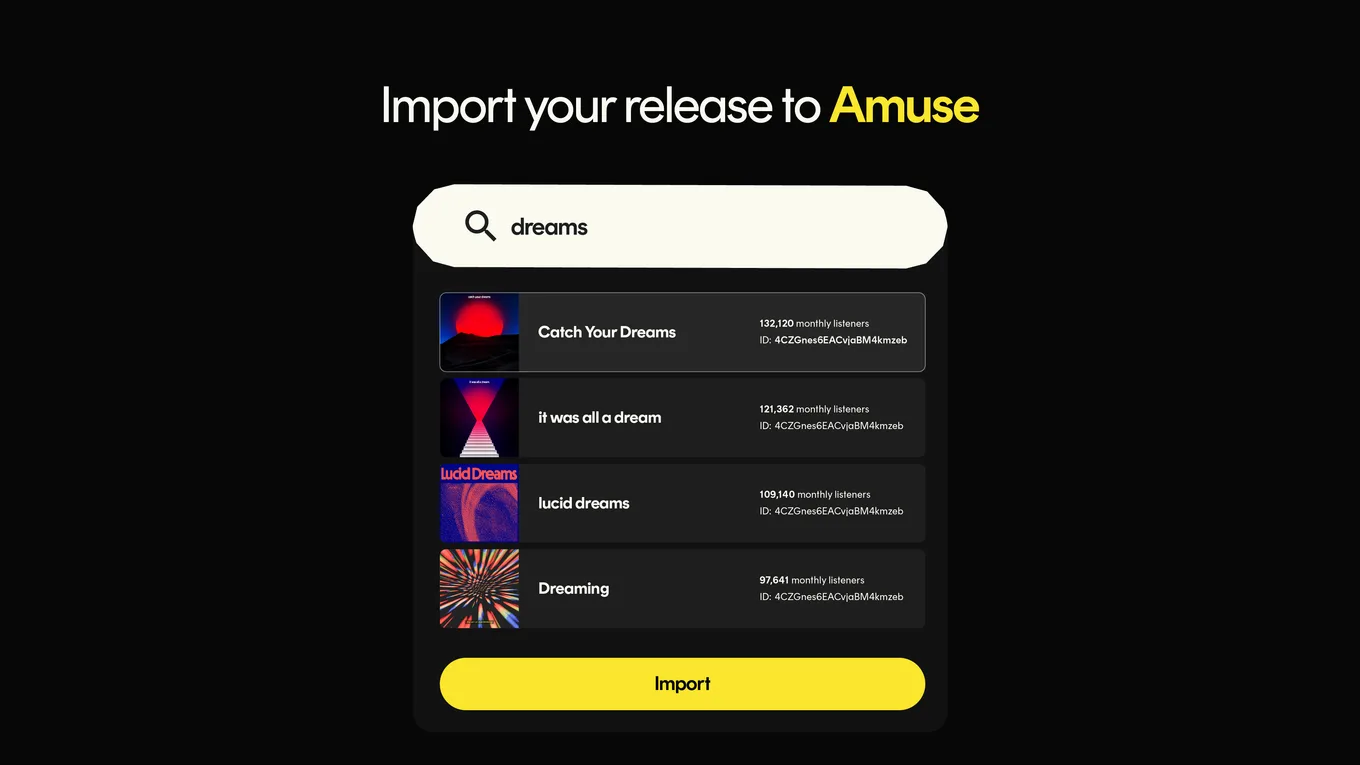
- Go to Release and choose Import Release.
- Search for the release you want to move. If it doesn't show up, paste the Spotify album link. Amuse checks that the link is a Spotify album and that it belongs to your artist profile.
- Review what was imported. Check it matches the live version exactly: titles, track order, artist and featured artist names, songwriters, ISRCs and the original release date.
- Upload your audio files and fill in anything mandatory the import couldn't.
- Submit for review. Amuse tells you when it's approved and delivered.
- Wait until the Amuse version is live, then ask your old distributor to take theirs down.
Leave the old release up until the Amuse version is live. For a short while you'll see the release twice on Spotify. Amuse says that's part of the linking process, not a mistake. Your stream count should match up first, and playlist information can take longer to sync once the old version comes down. Amuse doesn't request the takedown for you.
That's the honest version, and it applies to every distributor, not just Amuse. The importer improves your odds by getting the metadata right. It can't promise the result, because the linking happens on Spotify's side.
What It Won't Do
Know these limits before you plan a move around it. All of them come from Amuse's own FAQ.
- One release at a time. There's no whole-catalogue import. Ten releases means ten imports, each quicker than building from scratch.
- Spotify only, and live only. The importer finds releases that are currently on Spotify. A release you've already taken down, or one that was never on Spotify, has to be built by hand.
- No compilations. Compilation releases aren't supported.
- Multi-disc releases need a hand. They import, but the tracks aren't split into discs. Contact Amuse support straight after you submit, before the release is approved, and they'll arrange it.
- No audio. You need your own audio files. If the only copies sit on your old distributor's servers, find your masters before you start.
Is the Move Itself a Good Idea?
The importer makes switching easier. It doesn't make it right for you, and that comes down to cost and what you need.
Amuse's plans are $23.99 a year for Artist, $39.99 for Artist Plus and $59.99 for Artist Pro, and all three keep 0% of your streaming royalties. YouTube Content ID and royalty splits come with every plan. On Artist, Content ID takes a 15% fee and splits carry 15% for collaborators who aren't on Amuse themselves; on Plus and Pro both are free. The part that matters most for a switch is what happens if you stop paying: your music stays live and Amuse takes 25% of its royalties instead, where a lapsed DistroKid or TuneCore subscription takes the catalogue down. Release Importer itself is included in every plan.
It's a good fit if you have a handful of releases on a subscription distributor and want a 0% plan where a missed renewal can't wipe your catalogue. Put your own release schedule into the distributor cost calculator first and see what a year actually costs at each one.
It's a weaker fit in three cases:
- You run a label or a back catalogue of dozens of releases. One import per release is a lot of afternoons.
- Your releases are mostly compilations, or aren't on Spotify.
- Your current distributor is fine and cheaper for how you release. A smoother move isn't a reason to move.
Amuse isn't the only distributor with a transfer tool. Symphonic has TransferTrack, which we cover in our Symphonic review. And if the reason you're leaving is that your distributor looks shaky, read what happens to your royalties when a distributor goes under before you do anything else.
Can You Try It Before Paying?
Yes. You can create an account and an artist profile and use the release builder and Release Importer without a subscription, so you can see exactly what gets imported for your own release. You only need a plan to send it to stores.
From 23 November to 2 December, new accounts get 30% off every Amuse plan through our link. On the Artist plan that's about $16.79 for the year instead of $23.99.
If you've decided to move, open an Amuse account, import one release and check it against the live version line by line before you submit. Do your most important release last, once you've seen how the first one links.
This is our own article, not a paid post. Amuse sponsors the distribution banners on this site, and the Amuse links above are affiliate links: we earn a commission if you sign up through them, at no cost to you. Amuse supplied the images and did not review the text. Its place in our distributor rankings is our own judgement and isn't for sale.

 Home